MASTER CONTROL
FREE ENERGY
THINK OF A BOULDER ON A CLIFF'S EDGE
One small push of a button is all it takes to unlock the potential energy of the system and the capabilities of the connected devices.
HUMAN INTENT
ENABLING USERS. EMPOWERING PEOPLE.
We build software that translates human intent into system action. Technology as a simple extension from mind to machine.
CHAOS CONTROLLED
SIMPLE CONTROL FOR COMPLEX SYSTEMS
The systems may be complicated, but setting them up and using them should not be.
CTRLbot
COMMAND CONTROL CENTRAL
It's simple to use and it simply works. Anyone can walk into the room and use it. We empower humans with machine control.
UNIFIED CONTROL
THE END USER INTERFACE (EUI)
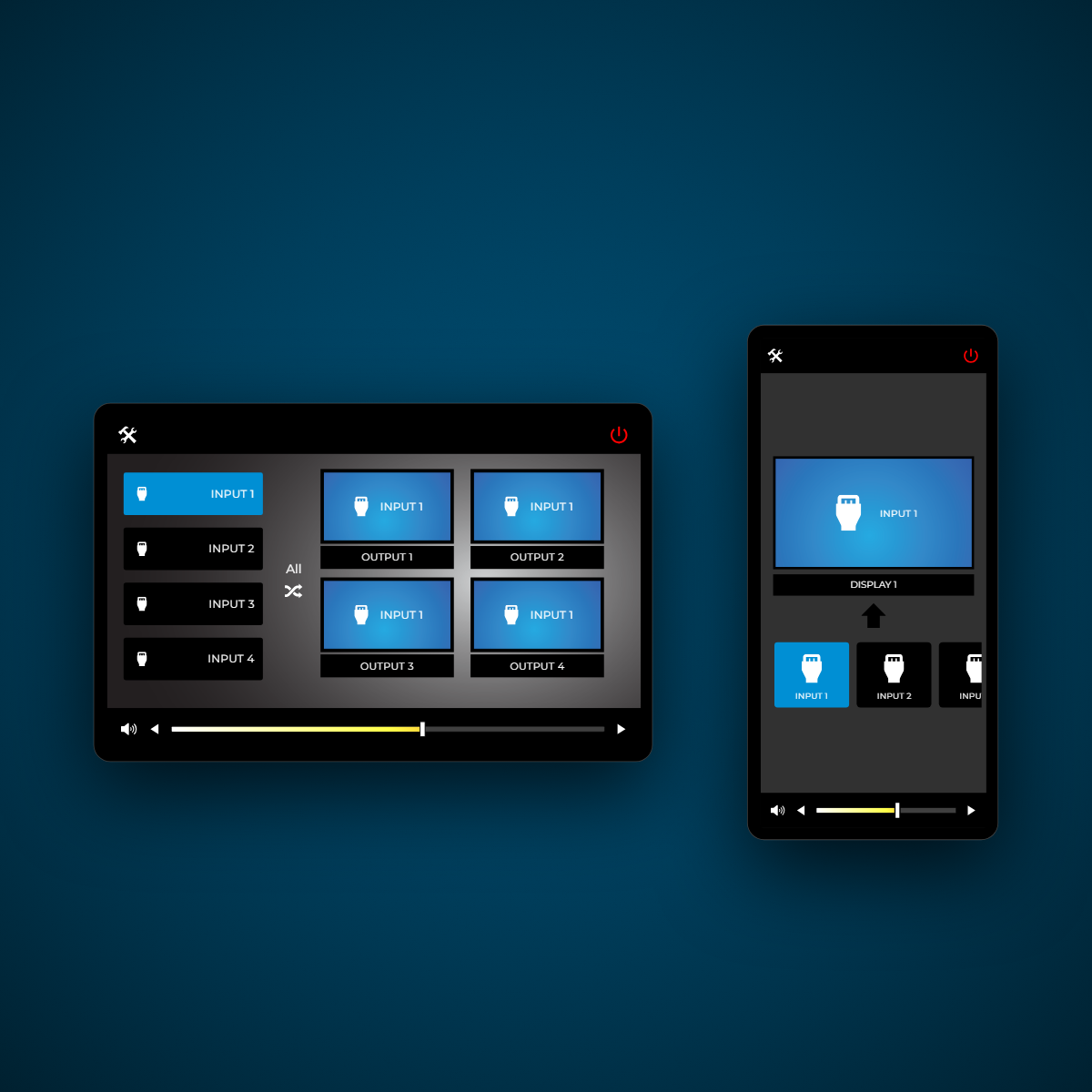
Add the devices in the room, make the connections and it auto-builds a simple interface for power, switching and volume control. Available on Android phone or tablet.
THE APP
IT BEGINS WITH ONE BUTTON
A simple power press starts the room and powers on all the connected devices. The system prepares the hardware automatically.
MANY TO ONE
THINK MATRIX THE BLUE PILL
Simply select a source and the switcher routes it to the display or projector in the room. Many sources feed one destination.
MANY TO MANY
FULL MATRIX MODE ROUTING
Pick the source on the left, then a display or displays on the right. Route a source to one or more destinations.
SEND TO ALL
TWO PRESSES ROUTE THE SOURCE TO EVERYWHERE
Simply select a source and then the All button and it is routed to all displays or projectors in the room. One source feeds every destination at once.
VOLUME CONTROL
ADJUST THE SLIDER AND THE ROOM
Easily change the speaker volume with the slider or the arrows. Slide the bar and the room level follows.
TOGGLE MUTE
ONE PRESS FOR A SILENT ROOM
Mute the speaker audio and then easily unmute to return to the previous level. The original volume is restored instantly.
ROOM SHUTDOWN
ONE PRESS POWERS OFF THE ROOM
Tap power to shut down the entire system safely. The room returns to standby until the next session.
CTRLbot MIRROR
SET UP THE APP FROM YOUR PC
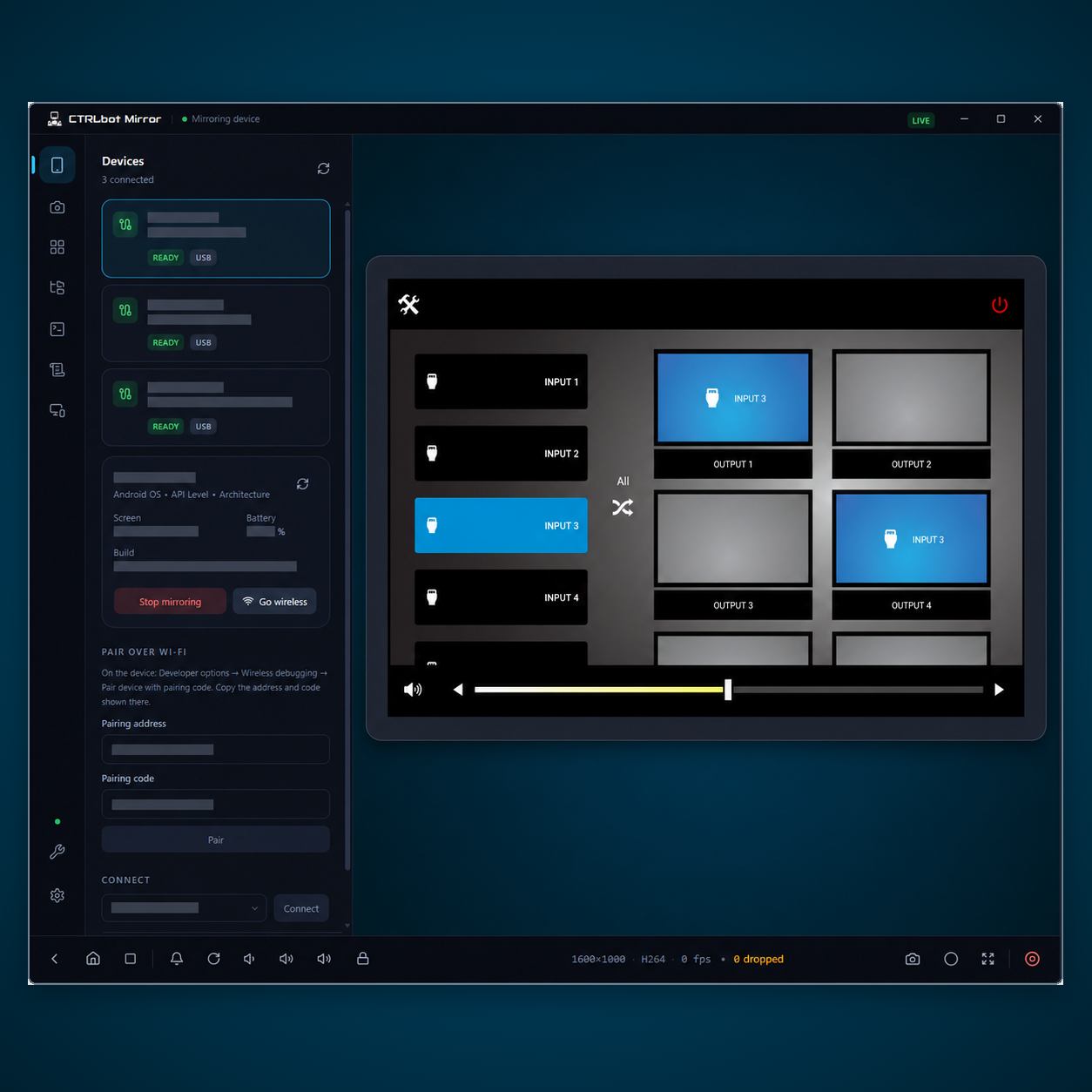
CTRLbot Mirror uses Android DeBugger over USB or Wi-Fi to the device from a Windows PC allowing easy configuration of the IoT App.
DOWNLOAD CTRLbot MIRROR ↗THE AI
BREAK. ASK. FIX. SOLVE IT.
You enter a problem, bug, issue about anything tech, health or home and it asks before it really answers. Because the best answers come from the right questions.
QUICK QUESTIONS
IT NARROWS THE FAULT BEFORE ANSWERING
It states what it thinks is wrong, then asks fast YES and NO questions built from the details you gave. Answering each one costs a single click.
CLICKABLE ANSWERS
EVERY OPTION EXPLAINS WHAT IT MEANS
One sharper question follows, and each button says what choosing it would mean for the diagnosis. Pass is there for when you genuinely do not know.
THREE SOURCES
ONE DIRECT ANSWER WITH REAL LINKS
The answer arrives with three genuine resource links and none of them are sponsored. It is written to be useful rather than flattering.
NOTHING KEPT
CLOSE IT AND THE SESSION IS GONE
Press the reset and everything clears back to an empty page. There is no account, no history, and nothing left to delete.
THE AI
IT ASKS QUESTIONS BEFORE GIVING AN ANSWER
CTRLbot.AI narrows a fault with clickable questions, then returns one direct answer with three real sources. It requires no login, keeps no history, and retains nothing after the session.
OPEN CTRLbot.AI ↗DEVICE DATABASE
ALL MAJOR MANUFACTURERS
A huge database of most Pro AV manufacturers and their devices, with links out to their home and product pages.
CONTROL DRIVERS
PROJECTORS DISPLAYS SWITCHERS END POINTS
Hundreds of devices and thousands of commands make up a database that is growing exponentially.
THE MANUAL
EACH DRIVER IS ALSO A CHEAT SHEET
Every driver carries its exact description and setup instructions right in the interface. You no longer have to hunt for PDFs or remember specific requirements.
CONNECTION
EVERYTHING YOU NEED TO CONNECT
The database carries the specific connection details for every model. It covers IP, RS-232 and IR, with the ports and parameters already filled in.
THE API
EVERY COMMAND IT TAKES
Every command the device answers to, with the exact payload that goes down the wire. Encoding and line endings come set, so nothing is hand-typed.
LIVE CONNECTION
GIVE IT AN ADDRESS AND CONNECT
Add the device, type the address it sits at, and connect. Protocol, port, encoding and line ending all come from the driver.
THE TERMINAL
SEND A COMMAND AND WATCH IT LAND
Send a command from the same screen and the log shows exactly what went out. A real device sends its feedback straight back.
THE HUB
AND HUNDREDS MORE LIKE IT
That was one driver. Every one in the list opens the same way.
WE LISTEN
MASTER OF CONTROL, SLAVED TO THE USER
Your feedback shows us what works, what gets in the way, and what CTRLbot should do next. Help us make control simpler for the people who use it. Please CONNECT WITH US →.