CTRLbot
 two applications // one company
control simplified. intelligence amplified.
two applications // one company
control simplified. intelligence amplified.
io.ctrlbot.iot
We build software that translates human intent into system action. One application works out what is wrong by asking the right questions. One turns an Android phone or tablet into a complete professional AV control system. Each works entirely on its own.
signal.test() // live
cb — 001
ONE FIGURES IT OUT.
ONE FIGURES IT OUT.
ONE RUNS THE ROOM.
The world is full of connected devices. The technology is not the problem — the problem is that none of it talks to each other, and when something breaks you are on your own with a 47-page forum thread from 2014. CTRLbot covers both halves: the intelligence to work out the fault, and the hands to operate the equipment.
two halves of one problem so what did you break this time?
no login · no sidebar · no cookie banner
so what did you break this time?
no login · no sidebar · no cookie banner
the.brains()
THE AI
A free web assistant that troubleshoots by asking questions instead of guessing. It states its first assumption, streams YES/NO questions to narrow the fault, then delivers one direct answer with three real sources.
No login, no history, nothing retained.
Read the story →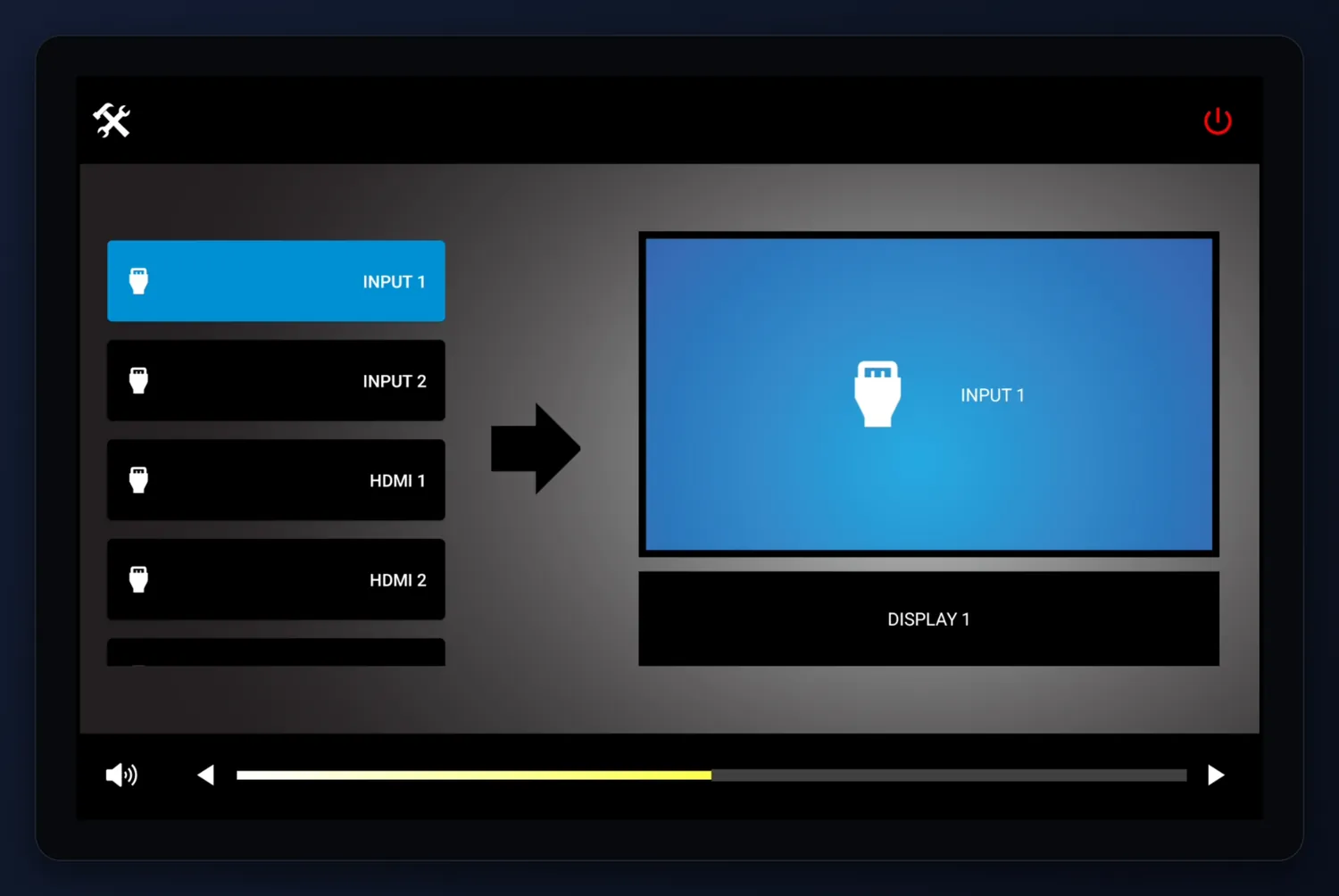 eui / many-to-one
the.hands()
THE APP
A standalone professional AV control system for Android. Bundled driver catalog, live command testing from the room, and a generated full-screen End User Interface at handoff.
No separate CTRLbot control processor or server.
Read the story →
the.shelf()
THE LIBRARY
The resource side: the DataBots device-driver catalog, device and app manuals, CTRLbot utilities — some of them open source — and a small shelf of gadgets.
Access opens behind sign in. Being built now.
See what's coming →
the.org()
THE COMPANY
Simplicity over feature creep. Privacy over data harvesting. Solutions over engagement metrics. A software company that does not manufacture hardware and is not optimizing for your time on site.
Read the manifesto →
cb — 002
WHAT THE ROOM
WHAT THE ROOM
ACTUALLY GETS
The End User Interface is built from the completed configuration, not designed screen by screen. It shows system power, the switching arrangement that was set up, and only the volume and mute controls the selected equipment actually exposes.
73 manufacturers / 124 drivers / 7,561 commands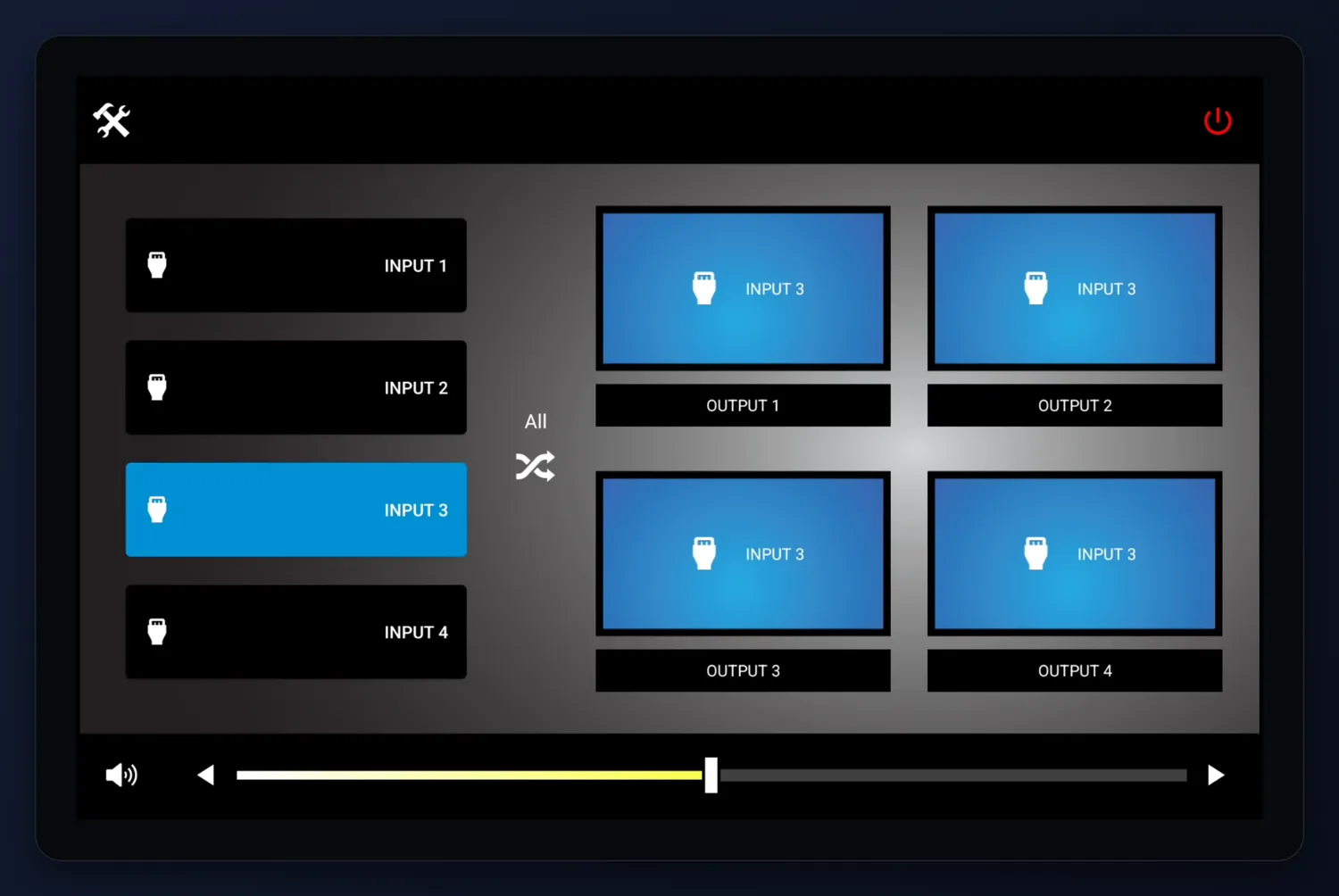 many-to-many
route.all()
PICK A SOURCE. PICK A SCREEN.
Many-to-One sends several sources to one display. Many-to-Many routes a matrix across multiple inputs and outputs, with an all-outputs shortcut for presentation mode.
Room-friendly labels and icons, set during configuration, instead of technical port names.
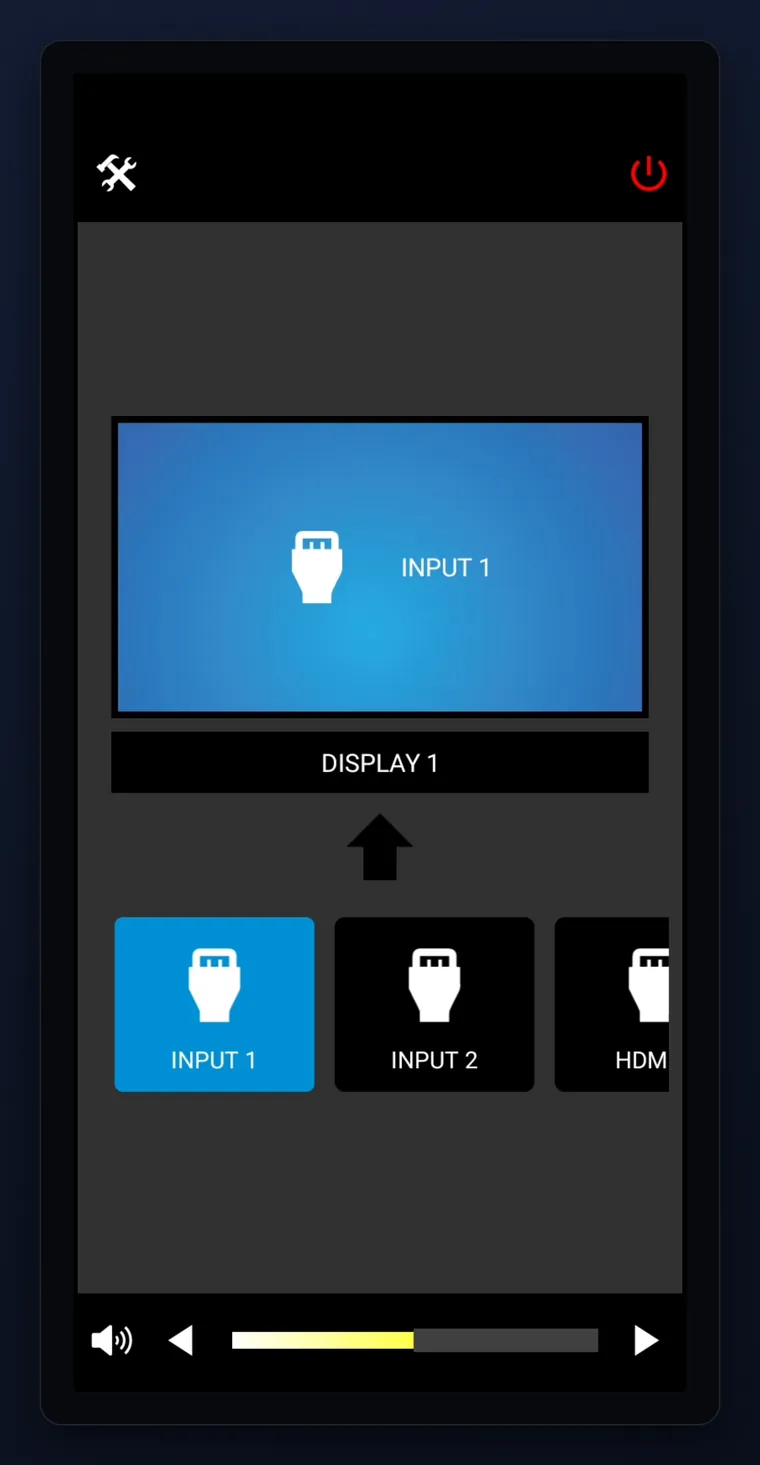 phone / eui
reflow()
SAME ROOM. IN A POCKET.
The generated interface reflows for phones without losing anything. Sources scroll along the bottom, the destination sits above them, volume runs across the foot.
The full app story →
cb — 003
MOST AI TALKS.
MOST AI TALKS.
THIS ONE ASKS.
Every mainstream assistant infers the rest of your sentence and returns six paragraphs. When the inference is wrong you have to notice it is wrong — exactly the thing you cannot do while troubleshooting something you do not understand.
free · no login · nothing retainedassumptionWindows blue-screening after an update usually means a display driver, not dying hardware. Let's find out which.
question
question.next()
ANSWERS YOU CAN CLICK.
Questions arrive with their answers attached — YES, NO, and on the final question a PASS, each one explaining what that choice would mean for the diagnosis. You supply judgment, not prose.
The buttons on the left are live. Try them.
then.it.ends()
ONE ANSWER. THREE SOURCES. DONE.
A collapsible playback of every question and answer collected, then three real, non-sponsored resource links and the answer itself — in the voice of an IT admin who got called in on a weekend.
How it works →
cb — 004
TEST IT BEFORE
TEST IT BEFORE
YOU BUILD ON IT
The half of the workflow nobody shows you. Point a driver at a real device and send commands straight at it, before you build presets, switching or an interface on top of anything.
terminal workbench>
connection.test()
FIRE COMMANDS. WATCH IT ANSWER.
ASCII or HEX, with the carriage return and line ending the device expects. Add and remove test rows on the fly. Sent data and device responses, both visible.
This is how you confirm the gear is reachable and the driver is right.
no.processor()
NOTHING IN THE RACK
The traditional path puts a processor in the rack, a server hosting the interface, and a laptop with specialist software behind it — before the room can say anything at all.
How the app works →SIMPLICITY OVER FEATURE CREEP
PRIVACY OVER DATA HARVESTING
SOLUTIONS OVER ENGAGEMENT METRICS
we build software that translates human intent into system action.